POS system guide · updated October 2026
Most providers can only recommend their own system. We offer four – and show you honestly which one suits your business, what to look out for when buying and what a POS really costs.
In short: We offer four POS systems and compare them honestly here: with a quick check, comparison table, cost calculator and the typical mistakes when buying.
4 systems from one sourceSAMPOS ONE, leafsystems, HIOPOS, Lightspeed
TSE & GoBD-compliantAll four meet the 2026 obligations
Set-up & training on siteWe set everything up in your business
Südbaden & SwitzerlandBased in Efringen-Kirchen near Lörrach
01 · Quick check
Choose the business most similar to yours. That's our recommendation as a starting point – in a conversation we'll look at your business in more detail.
Ideal for
Lean subscription, Android devices, also runs completely offline.
Ideal for
Ordering and paying at the table, QR ordering and kitchen display.
Ideal for
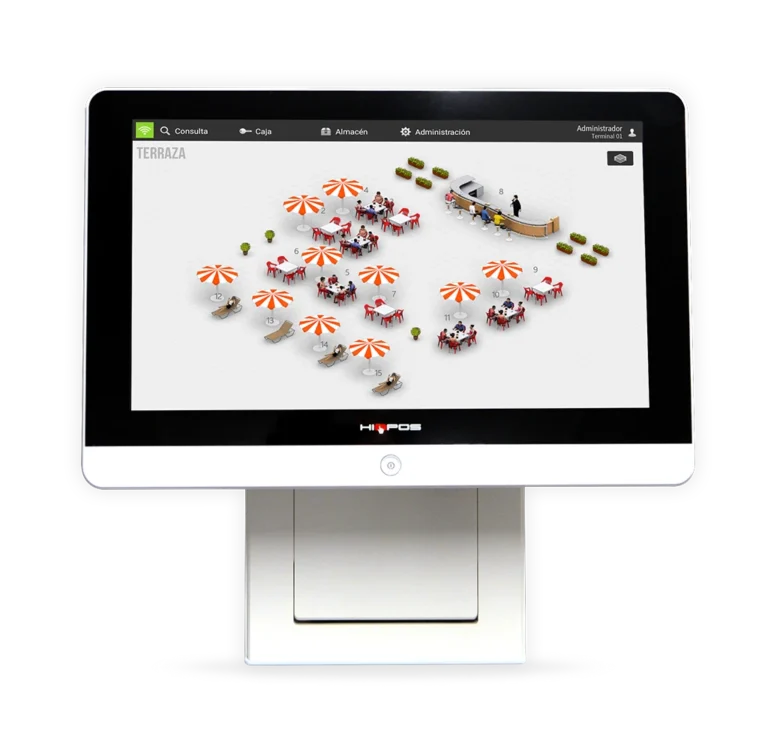
The all-rounder: POS modules for hospitality, retail and beauty, expandable with reservations and delivery service.
Ideal for
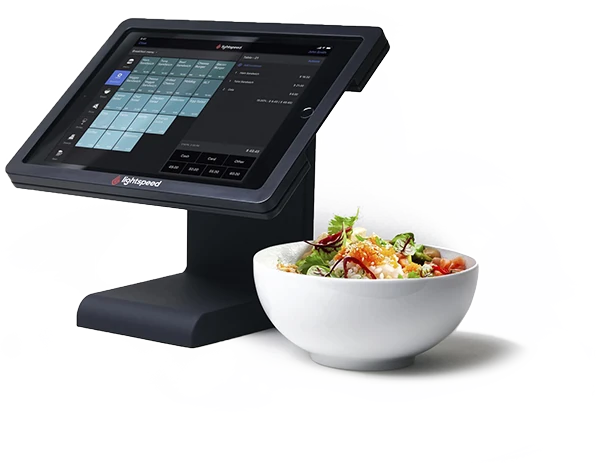
iPad POS with multi-branch management, analytics and connection to delivery platforms.
02 · Questions first
Before you decide
We hear these questions in almost every consultation. Here are our honest answers – so you go into the comparison well prepared.
Buying is worthwhile if you'll use the hardware for a long time and can make the investment in one go. Renting or leasing protects your liquidity and keeps you technically up to date. The software runs on a monthly subscription for all four systems anyway.
Before deciding, ask what the POS can still do without a network: take payments, print receipts, accept cards? SAMPOS ONE works completely offline. HIOPOS, leafsystems and Lightspeed (offline mode) also keep taking payments during an internet outage. For cloud systems, we'll show you in the consultation how your business keeps running in an emergency.
If you serve at the table or have a large terrace, mobile devices save a lot of walking. Depending on the system they cost extra – in the cost calculator you can see what two or three additional devices add per month.
In addition to the POS, you pay a fee for every card payment. With high card turnover, this quickly becomes the biggest cost item. That's why you should always compare the terminal and fees together with the POS.
A DATEV export or a direct interface saves you paperwork and tax adviser costs every month. Ask your tax adviser in which format they want the POS data – and check whether your system can do it.
You definitely should. A POS feels different in a brochure than under stress on a Saturday evening. We'll show you each of the four systems in a free demo using examples from your business – on site or online. You'll find suitable POS hardware in our showroom.
03 · Comparison table
Sorted from “small and mobile” to “multiple locations”. No stars, no test winner – each system is built for a different kind of business.
from 24,95 €/ monthTo the system → | from 49,00 €/ monthTo the system → | from 42,00 €/ monthTo the system → | from 89,00 €/ monthTo the system → | |
|---|---|---|---|---|
| Overview | ||||
| Best for | Mobile, seasonal & small businesses | Hospitality with table service | Hospitality, bakery, retail & beauty | Multiple locations, hotels, large hospitality |
| Devices | Single-till solution on Android: smartphone, tablet or POS terminal | POS plus mobile devices, Adyen card terminals | POS terminal, tablet or smartphone (HIORDER) | iPad / Apple hardware |
| Business | Offline mode, independent of the network | Local + cloud, also takes payments offline | Cloud-based, modular, offline operation during internet outages | Cloud-based, offline mode |
| Hospitality & service | ||||
| Hospitality |
|
|
|
|
| Online & delivery | ||||
| Online ordering & delivery services | Delivery services via interface |
| Delivery service module |
|
| Retail & branches | ||||
| Retail & stock |
|
|
|
|
| Multiple locations | – | On request | Central multi-branch management | Central multi-branch management |
| Payment & accounting | ||||
| Payment |
|
|
|
|
| Vouchers | Voucher management |
|
|
|
| Accounting |
|
|
|
|
| TSE / KassenSichV | ✓ certified | ✓ certified | ✓ certified | ✓ certified |
Prices: entry price of the POS software per month, excl. VAT, as of October 2026. Hardware, add-on modules, additional tills and card payment fees come on top depending on your needs – what this means for your business is shown by the Cost calculator.
04 · Systems in detail
Each system has businesses it's built for – and ones for which we'd recommend a different one.
Mobile · Small · Seasonal
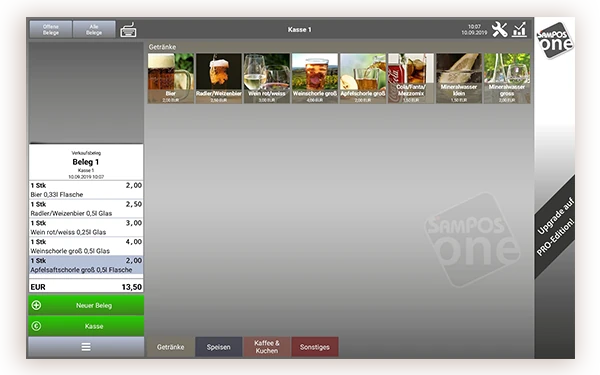
The affordable Android POS for everyone who sells on the move. Runs on smartphone, tablet or POS terminal and keeps taking payments without a network thanks to offline mode.
A good fit if …
Less suitable if …
Hospitality with table service
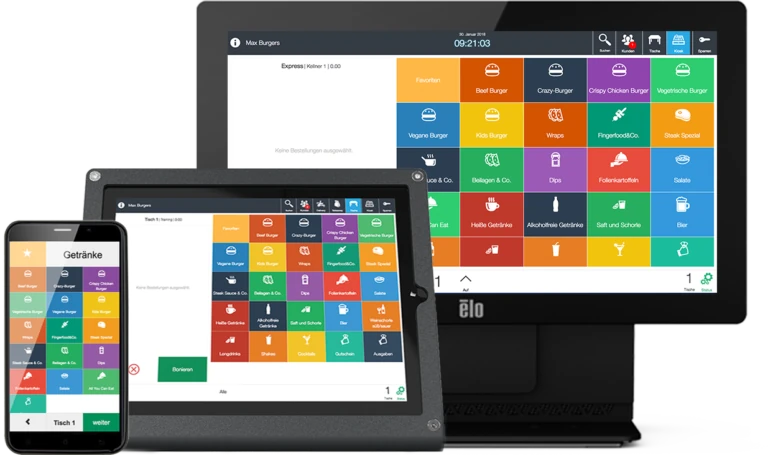
A POS system for hospitality where ordering and payment come together at the table: mobile devices with Adyen terminals, QR ordering, kitchen display and DATEV export.
A good fit if …
Less suitable if …
All-rounder · Hospitality, retail, beauty
Modular, cloud-based system for hospitality, retail and beauty. You start with what you need and add reservations, delivery service, kitchen display or multi-branch management.
A good fit if …
Less suitable if …
Professional · Multiple locations
Cloud POS on the iPad for professional hospitality: table plan, mobile ordering, kitchen display, strong analytics, multi-branch management and connection to delivery platforms.
A good fit if …
Less suitable if …
05 · Practical examples
Four typical businesses from our consultations – and why we recommend a different system for each. The examples are simplified; you'll get your recommendation in a conversation.
Example
One device, changing locations, often no network, season from April to October.
Our choice: SAMPOS ONE
Runs offline, compact hardware, affordable subscription for the season.
Example
Three servers, many individual bills, kitchen and bar separate.
Our choice: leafsystems
Mobile ordering and payment at the table, tickets straight to the kitchen display.
Example
Goods by weight, take-away and eat-in, central reporting wanted.
Our choice: HIOPOS
Hospitality and retail in one system, branches centrally in view.
Example
Several points of sale, many guests, reports for management.
Our choice: Lightspeed
Several tills managed centrally, strong analytics and staff reports.
In practice
Thomas Fehrle, Waldrestaurant St. Valentin, Freiburg – Lightspeed with a main till and four mobile terminals · Read the full story
06 · Obligations 2026
All four systems in this comparison meet the German requirements. Still, you should know what's behind them – because in an audit, you're the one responsible.
Mandatory since 2020
The technical security device protects every booking from subsequent changes. Make sure there's a valid certificate and check who manages the TSE.
✓ Included in all four systems
Mandatory since 2020
A receipt must be issued for every sale – on paper or digitally, e.g. via QR code or email.
✓ Included in all four systems
Mandatory since 2025
Tills must be registered via Mein ELSTER – new tills within one month of purchase, likewise when taken out of service. How to register your till →
✓ We help you with registration
In every audit
During a cash register inspection, the POS must be able to export the data in the prescribed format. A DATEV export also saves you tax adviser costs.
✓ Included in all four systems
Note: this is not tax advice. Different rules apply in Switzerland (no TSE obligation, Swiss VAT) – more in the POS glossary.
07 · Calculating costs
The monthly price of the software is only one part. If you want to compare fairly, add up all five components over three years – that way you see what a system really costs you. Because every business needs different devices, modules and interfaces, we prepare an individual quote for you.
01
From €24.95 to €89.00 per month (excl. VAT) – plus modules such as kitchen display, QR ordering or mobile devices.
Monthly
02
Till, receipt printer, cash drawer and mobile devices – buy, rent or lease.
One-off or monthly
03
As a hardware or cloud solution, sometimes charged per till and per location.
Depending on the system
04
Terminal plus a fee for every payment – often the biggest item with high card turnover.
Per payment
05
Creating items, connecting devices, briefing the team. We clarify the scope with you beforehand.
One-off
08 · Cost calculator
Enter how your business is set up and what the POS should be able to do. For each system, the calculator selects the right package with the necessary modules and shows you the monthly software costs.
Software prices per month, net – gross if selected above –, as of October 2026. Excluding hardware, set-up, training, card and transaction fees. The calculator gives you a guide – we prepare your binding offer during the consultation.
09 · Typical mistakes
We see these situations again and again in consultations – usually only when the POS is already in use and switching becomes expensive.
✕Mistake 1
How it happens: A café takes the cheapest subscription. After a few months, a kitchen display, QR ordering and a second device are added – booked individually, more expensive than a package that would have included everything.
Better: Factor in all modules you'll need in the next two years – for example in the Cost calculator.
✕Mistake 2
How it happens: A snack bar starts with a simple till. A year later, a delivery service and a second location are added – the POS can't do this, and items and data have to be migrated.
Better: Bring your plans for the next two to three years to the consultation.
✕Mistake 3
How it happens: The POS is chosen at a desk. On Saturday evening the temp can't find the right keys – there are wrong bookings and long queues at the counter.
Better: Test the POS with the people who take payments every day, and plan the training firmly.
✕Mistake 4
How it happens: The existing card terminal can't be connected. Every amount is typed in twice, and the cash-up doesn't add up in the evening.
Better: Before buying, list all devices and programs: terminal, scale, DATEV, hotel software, delivery services.
✕Mistake 5
How it happens: Friday evening, full terrace: the Wi-Fi drops, the mobile devices lose connection, orders don't reach the kitchen.
Better: Clarify beforehand how the POS works offline, and have the Wi-Fi in all areas checked.
✕Mistake 6
How it happens: The new POS is running, but the registration via Mein ELSTER gets left behind in everyday business. At the latest during a cash register inspection, this will be noticed.
Better: Complete the registration straight after commissioning – the deadline is one month.
Why Kassenprofis
We have been setting up POS systems in Südbaden and Switzerland for over 10 years. Because we offer several manufacturers, we don't have to sell you a particular system. Our goal: that your POS still suits your business in three years' time.
10+
years of experience with POS systems
500+
customers in Südbaden and Switzerland
4
POS systems, one point of contact
24 h
support response time
A manufacturer can only recommend its own system. We have four in our range and tell you honestly which one fits – and which doesn't.
We create items, connect printers, terminal and kitchen display and train your team at your business.
Monday to Friday from 08:30 to 18:00 you can reach our team who set up your POS – by phone, email and remote maintenance, in German or English.
10 · Frequently asked questions
Yes. SAMPOS ONE, leafsystems, HIOPOS and Lightspeed are TSE-certified and meet the Cash Register Security Ordinance (KassenSichV). It's also important that you register your POS with the tax office – we'll help you with that.
With us, the POS software costs from €24.95 to €89.00 per month (excl. VAT), depending on the system. The subscription covers software, updates and usually also cloud access to your reports – modern POS systems are updated continuously for new functions, security and changed legal requirements. What modules and additional devices add for your business is shown by the Cost calculator.
That depends on how many items, devices and interfaces are set up. You'll see the exact amount in your personal quote before you decide.
In many cases, yes. We check your devices and tell you what will keep working and what should be replaced – saving you unnecessary purchases.
Yes. Because we offer four systems, we also support you when switching – for example when a second location is added. Of course, it's better to choose the system that grows with you from the start.
That depends mainly on the number of your items and devices. We set the schedule together, set everything up on site and train your team so that your business keeps running without interruption.
With us, SAMPOS ONE is the cheapest system at from €24.95 per month (net) – ideal for food trucks, snack bars, market stalls and small shops. But cheap doesn’t automatically mean suitable: if you need a kitchen display, QR ordering or several devices, a package from HIOPOS (from €42), leafsystems (from €49) or Lightspeed (from €89) is often cheaper than many individual modules. Work it out with the Cost calculator .
With the four systems we offer, the software runs on a monthly subscription. It covers updates, adjustments to new legal requirements and support – costs that with subscription-free tills usually come back as expensive updates or maintenance contracts. The only one-off cost is the hardware, and you can rent or lease that too.
Yes. You can buy, rent or lease the hardware – our guide shows what pays off for you: Buying, leasing or hire purchase. For individual festivals and events there is our Rental POS for events.
We'll look at your business and recommend the system that really fits – free of charge and without obligation.